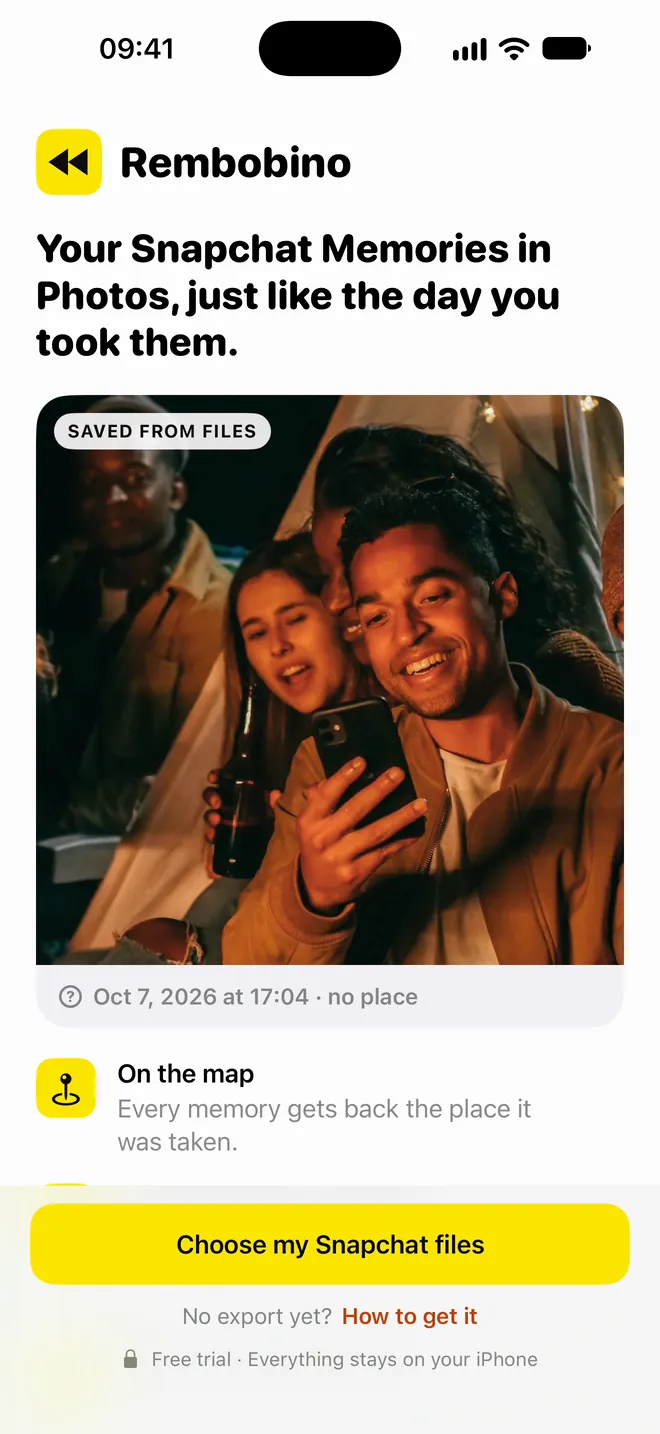
Exported, they're dated today.
Saved from Snapchat's export, your memories take today's date, with no place and no stickers. Years of your life, piled onto one day.
Dated the day you save them, with no place or stickers.
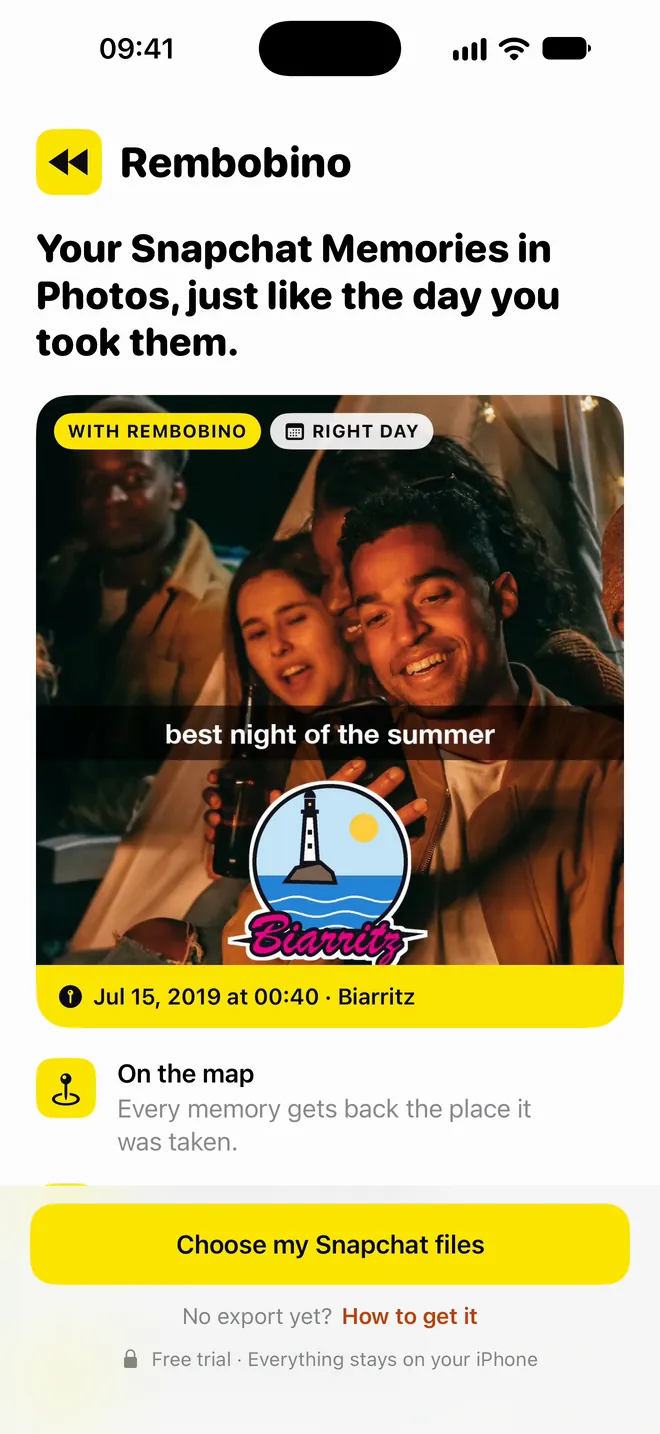
Your Snapchat memories get their real date, place and stickers back, right in Photos.
Exported from Snapchat, your memories arrive with no date or place. Rembobino gives every photo and video back its real date, its place on the map and its stickers, then puts it in Photos.
Free trial: 250 memories, no email or card needed · then €5.99, once
iPhone (iOS 17 or later), Macs with Apple silicon and Windows 10 or 11 PCs
iOS 17 or later · nothing leaves your iPhone
Saved from Snapchat's export, your memories take today's date, with no place and no stickers. Years of your life, piled onto one day.
Dated the day you save them, with no place or stickers.
Rembobino reads Snapchat's archive and puts every memory back on its real date, to the minute, in the local time of the place it was taken.
The real date, to the minute, in the local time.
What you added on top goes back where it was. Videos Snapchat cut into 10-second pieces become one video again.
Stickers, captions and 10-second clips put back together.
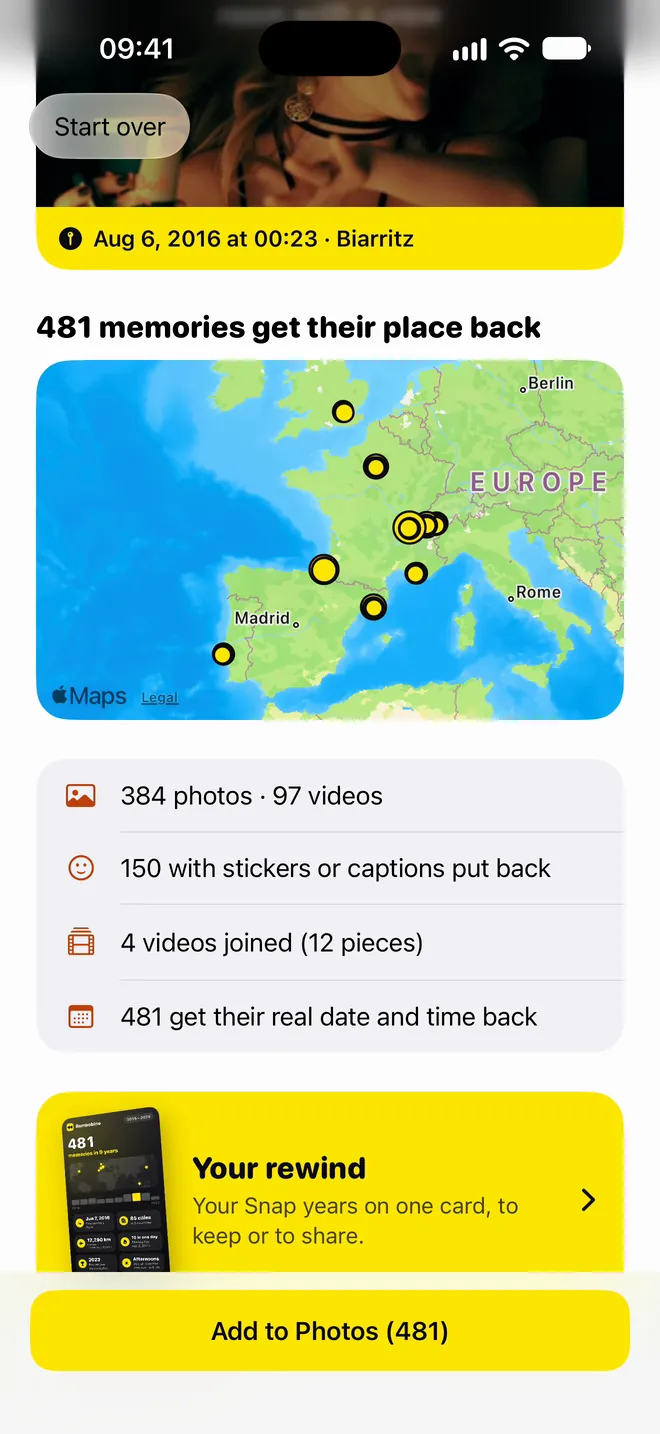
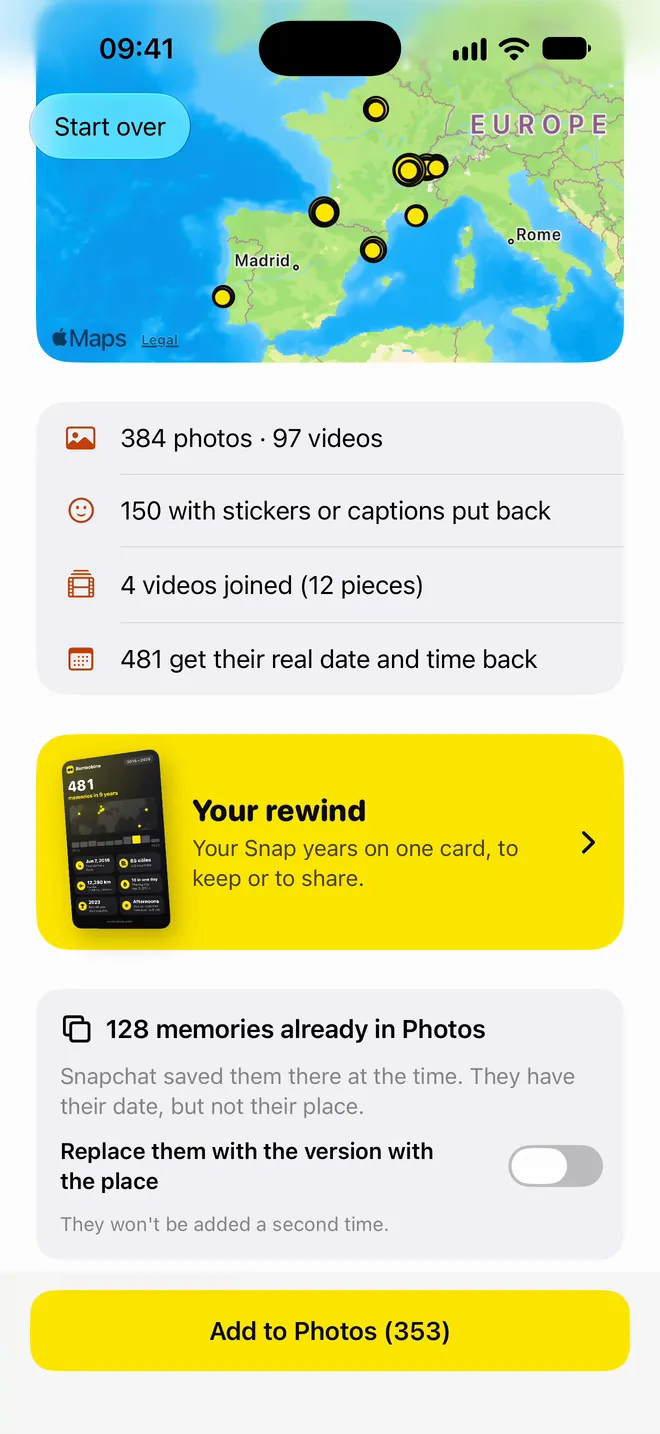
Your trips and nights out show up on the Photos map, right where they happened.
Your trips and nights out, right where they happened.
Snaps that Snapchat already saved to your camera roll are recognized and not added a second time.
The ones already in your camera roll aren't added twice.
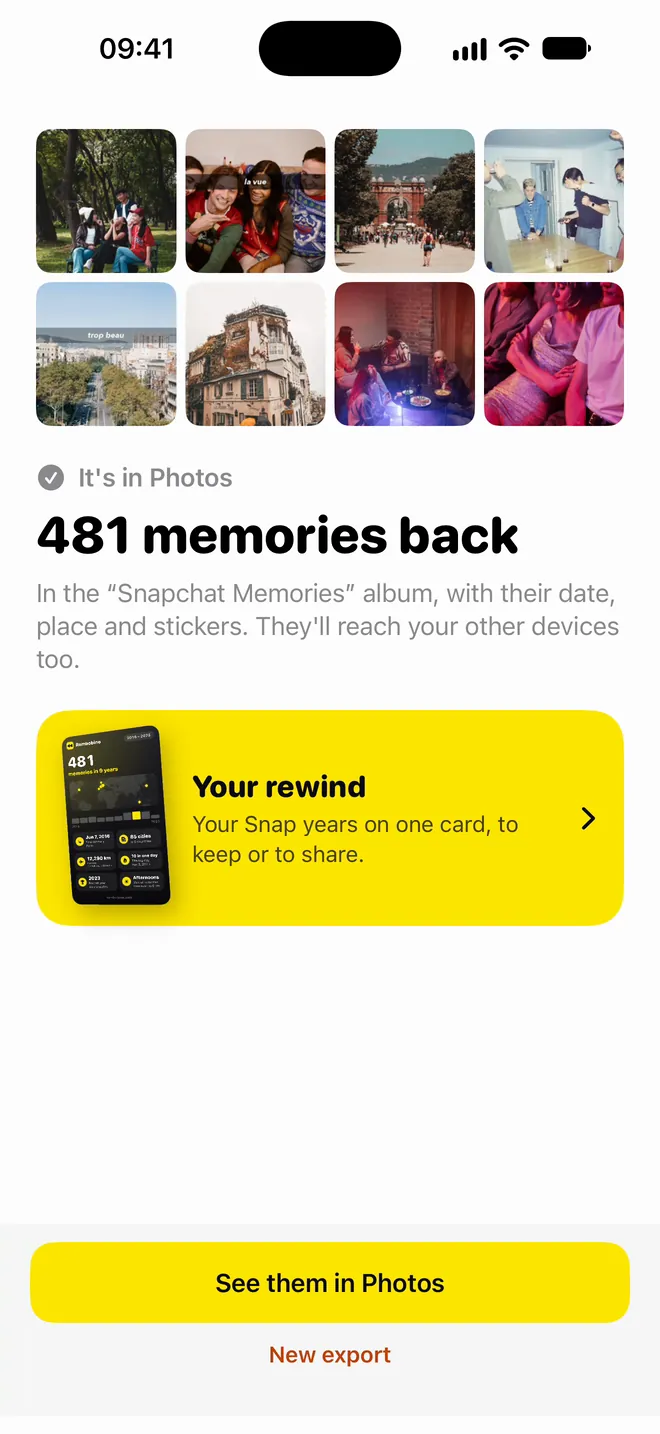
In a “Snapchat Memories” album, in the right spot in your library. No computer, and nothing is sent over the internet.
In a “Snapchat Memories” album, no computer needed.
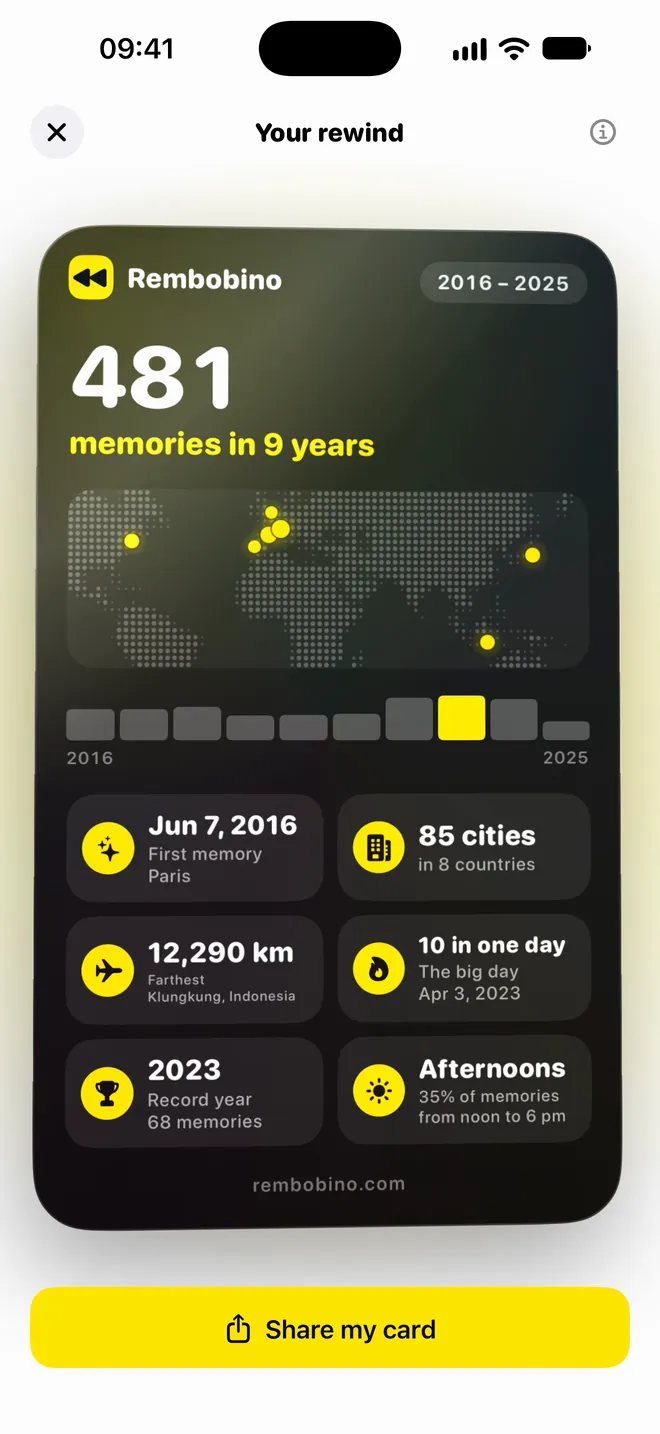
At the end, the app sums up what it found: your first memory, your cities on a world map, your biggest day, the farthest you went. A card to keep, or to share as an image.
Your cities, your biggest day, your farthest trip: keep it or share it.

Since September 2025, Snapchat has capped free Memories storage at 5 GB. In January 2027, everything beyond it goes behind a subscription. Your memories can stay yours.
Snapchat caps free Memories storage at 5 GB and launches paid plans.
All your memories are still accessible, and exporting your data is free.
Outside your oldest 5 GB, memories older than a year get archived: you still see the thumbnails, but you have to pay to open them.
In Snapchat, open Settings › My App › Memories and look at Cloud Storage. Above 5 GB, part of your memories will be archived. A few years of videos is often enough.
Source: Snapchat Support, “How do I manage my Memories storage?”. Snapchat promises an in-app notice before anything changes.
Rembobino does the cross-checking for you: it matches each file to its Snapchat record, works out the local time where it was taken and writes everything back into the photo.
Drag the .zip files you got from Snapchat into the window. No need to open, unzip or sort them.
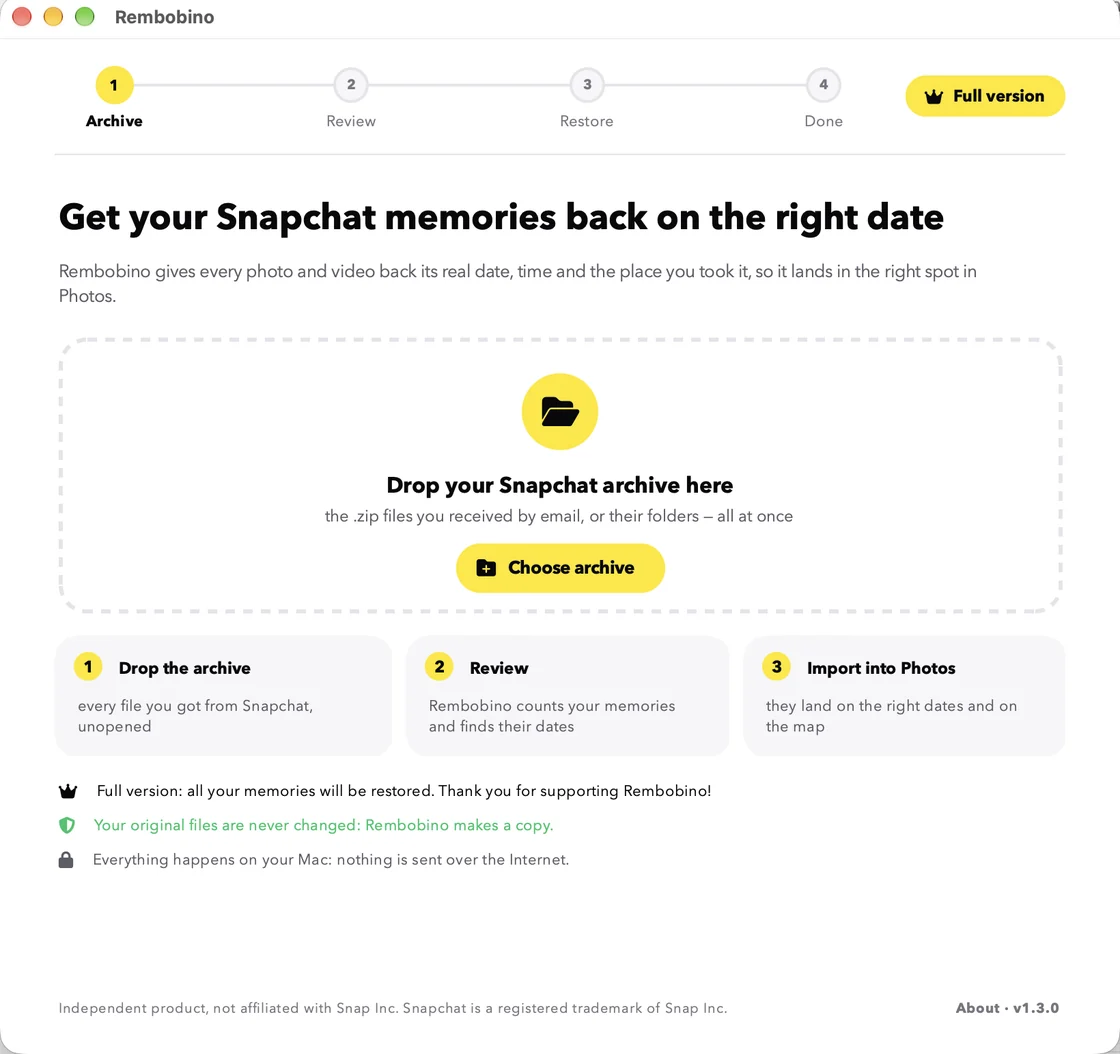
In a few seconds, Rembobino counts your photos and videos and brings them back onto a map, in the order you took them. It also warns you if part of the archive is missing.
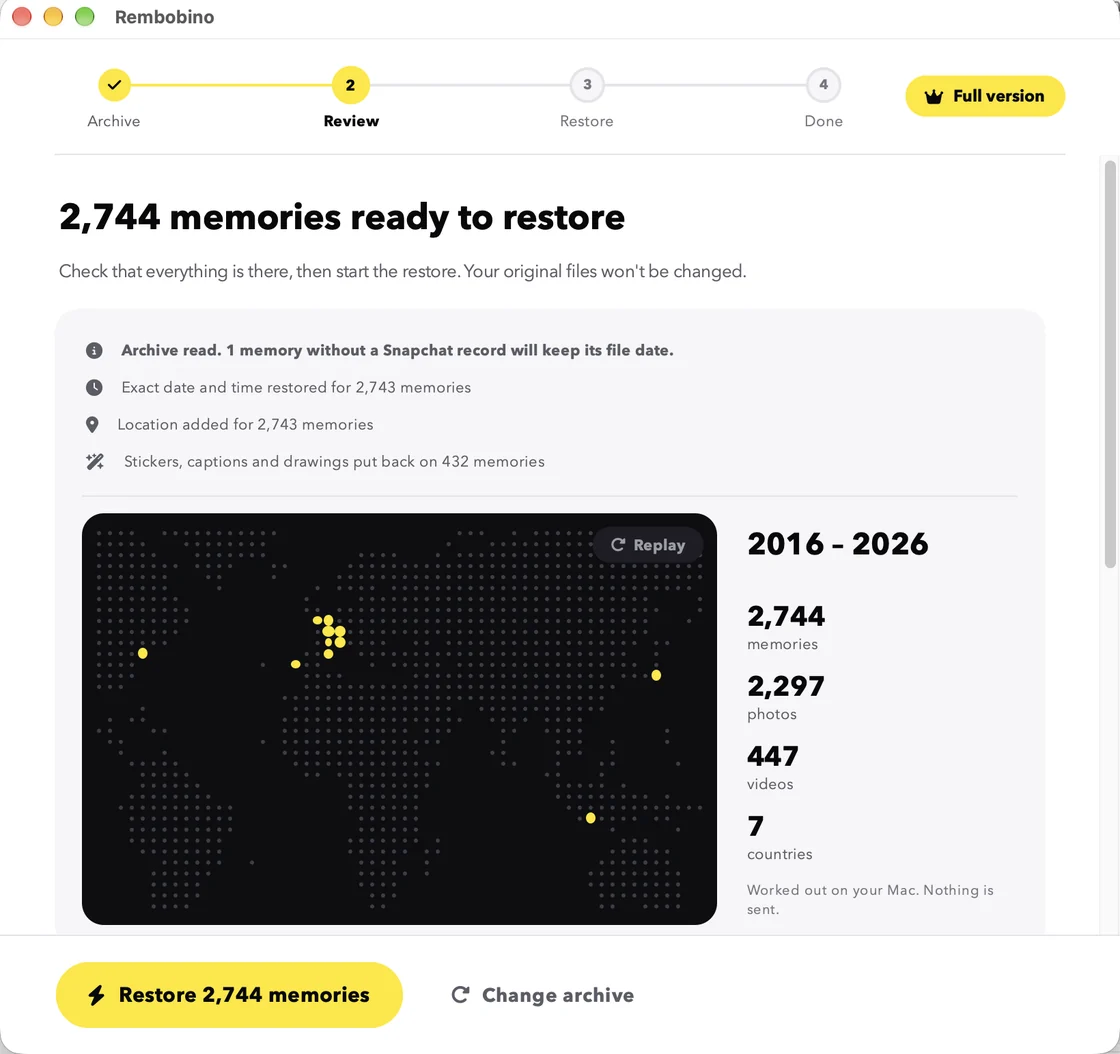
On a Mac, one button: all your memories land in a “Snapchat” album in Photos, on their real dates and on the map, then on your iPhone with iCloud Photos. Nothing to drag, nothing to sort. On a PC, Rembobino walks you through icloud.com, Google Photos or a folder sorted by date.

| For 1,284 memories | Imported as is | Fixed by hand | With Rembobino |
|---|---|---|---|
| Date and time taken | Rough, sometimes the wrong day | One by one, in your gallery | Automatic, to the second |
| Local time where it was taken (a vacation memory abroad keeps the right time) | No | Rarely | Yes, from the GPS |
| Getting them into Photos | Drag them in, stickers and pieces included | After hours of fixing | One click, into its own album (Mac) |
| Location on the map | None | Typed in for each photo | Automatic |
| Stickers, captions and drawings | Separate files | Not without editing software | Merged back |
| Videos Snapchat cut into 10-second pieces | In pieces | Not without editing software | Joined back into one |
| Incomplete archive or duplicates | Unnoticed | Unnoticed | Flagged before you start |
| Time spent | — | ≈ 21 h at 1 min per memory | A few minutes |
No account to create, nothing uploaded, no analytics. All the processing happens on your iPhone or computer.
Rembobino reads your archive without changing it and works on a copy. If something isn't right, nothing is lost.
You download your archive yourself from Snapchat's official website. Rembobino never connects to your account.
You pay once, no subscription. The app is yours to keep, for as many archives as you want to restore.
250 memories free, no email or card needed. You unlock the rest from the app.
On iPhone? Rembobino is also on the App Store, same price as an in-app purchase.
iPhone with iOS 17 or later · Mac with Apple silicon (M1 or later), macOS 11 or later · Windows 10 or 11 PC (64-bit)
Secure checkout by Paddle · instant licence keyOn iPhone, payment through the App Store
Not delete them, but lock them away. Free storage is capped at 5 GB. From January 2027, memories older than a year that aren't part of your oldest 5 GB will be archived: you'll see the thumbnails, but you'll need a subscription to open, share or download them. If you're under 5 GB, nothing changes. Either way, exporting your memories is free and gives you a copy of your own. Snapchat's official policy
Click “Download for free”: the download starts immediately, no email or card needed, and a page shows you how to open the app the first time. The trial restores 250 memories, picked across all your years, so you can see the result in your gallery before paying. On iPhone, get the app from the App Store: the trial is the same.
Buy the licence (€5.99, paid once), on this website or from the app. Your key appears right after payment: paste it into Rembobino and carry on. The 250 trial memories aren't redone. The key also works on your other computers, Mac or PC. On iPhone, you buy in the app through the App Store (same price): it's separate from the Mac and PC licence.
On Snapchat's website, go to the “My Data” page: turn on “Export your Memories”, pick the full date range, then submit. Snapchat emails you your .zip files, often within a few hours (up to 7 days for large archives). The iPhone app walks you through it and can remind you the next day. The full step-by-step guide
On iPhone: iOS 17 or later. On a Mac: Rembobino runs on Macs with Apple silicon (M1, M2, M3, M4 and later) with macOS 11 or later, but not on Intel Macs. To check: Apple menu › About This Mac, “Chip” line. On a PC: Windows 10 or 11, 64-bit.
Yes: Rembobino is also available for Windows 10 and 11 PCs. Your restored memories are sorted by their real date in a folder on your PC. To see them on an Android phone, drag that folder into Google Photos: the date and place are kept. On iPhone, there's also the Rembobino app, which adds your memories straight into Photos. On Android, go through a PC.
Yes. With the iPhone app, they're added straight to Photos. From a computer, iCloud Photos needs to be turned on. On a Mac, one click in Rembobino adds them to Photos; on a PC, upload them to icloud.com/photos. They reach your iPhone on their real dates and visible on the map.
Not on iPhone: if Snapchat saved your snaps to both Memories and your camera roll, the Rembobino app recognizes those copies and doesn't add them a second time. It can also replace them with their version with the place, if you choose. On a Mac, Photos detects duplicates during import: choose “Don't Import” and tick “Apply to all duplicates”. Only the memories you're missing get added. With iCloud Photos, the iPhone's “Duplicates” album also lets you merge any that slipped through.
Yes. The app adds one .zip at a time and pauses on its own if the iPhone is full: free up some space, then pick up where it stopped. If the app gets closed along the way, it offers to carry on when you reopen it, without adding anything twice. For a very large archive, the Mac or PC app is more comfortable.
Yes: it's called “Your rewind”. Once your memories are back, the app sums them up on one card: how many there are, your first memory, your cities and countries, the farthest you went, your biggest day. You can keep it or share it as an image, and find it again when you reopen the app. Everything is worked out on the iPhone.
The iPhone app is in English, French, German, Spanish, Dutch and Arabic: it follows your iPhone's language. The Mac and PC app is in English and French.
Rembobino compares what Snapchat lists with what you dropped in, and warns you before starting. You can add the missing files at any time.
Rembobino never touches your account: it only reads the official archive you downloaded yourself, and everything happens on your device. On a Mac, the app is signed and verified by Apple. Rembobino is an independent product, not affiliated with Snap Inc.
You have 14 days to ask for a refund, no complicated justification needed. Write to us: we're also happy to look into your case and help. On iPhone, refunds are requested from Apple, at reportaproblem.apple.com.
Get your memories back before January 2027 and put each one where it belongs in a few minutes, without uploading anything.